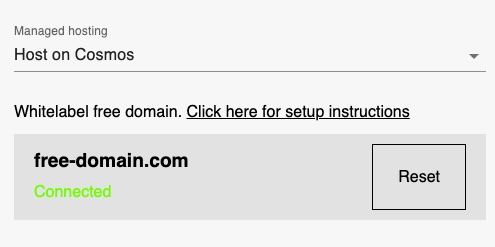
To setup white label free domain:
Setup domain provider record:
- Go to your domain provider, find DNS settings and create the following CNAME record:
- CNAME * dns.cosmos-website.com
- Result should looks like:

- Note: if you use Cloudflare (recommended) to manage your DNS, turn Proxy checkbox on.
Setup in Starfish console:
- In Starfish console, go to Brand Settings page
- In Manage hosting section, select Host on Cosmos.
- Enter free domain name.
- Free domain name, is the domain name you want to serve all your customers websites from.
- Domain name example: for free-domain.com, Starfish will use [random_id].free-domain.com.
- In this example, type free-domain.com in the field.
- Click Save and verify.
- The system will verify that dns CNAME for is set correctly, if not an error will shows up.
- To fix the issue, setup CNAME in your domain provider.
- Wait few hours and verify again so DNS configuration will propagate thru DNS servers around the world.
Result: